Charts
Supported markets on 14 exchanges and Hyperliquid HIP-3, with candles and prices from the exchange you picked. In the browser on desktop and on the phone.
One session
What a few minutes with the chart look like. All three work without a log in, and the clips are the live chart.
Open the market
Search a symbol and pick the exchange and the market type. The chart keeps both: an OKX perpetual stays an OKX perpetual.
Mark it up
Draw a trend line or a Fib, then drag its points to adjust. 84 tools in all.
Add what you read
Any of 113 indicators, with its inputs, colour, opacity and line style changed in its settings. GG-Osc is on Premium.
What the chart does
- 12 timeframes
- 1m, 3m, 5m, 15m, 30m, 1h, 2h, 4h, 8h, 12h, 1D, 1W.
- 18 chart types
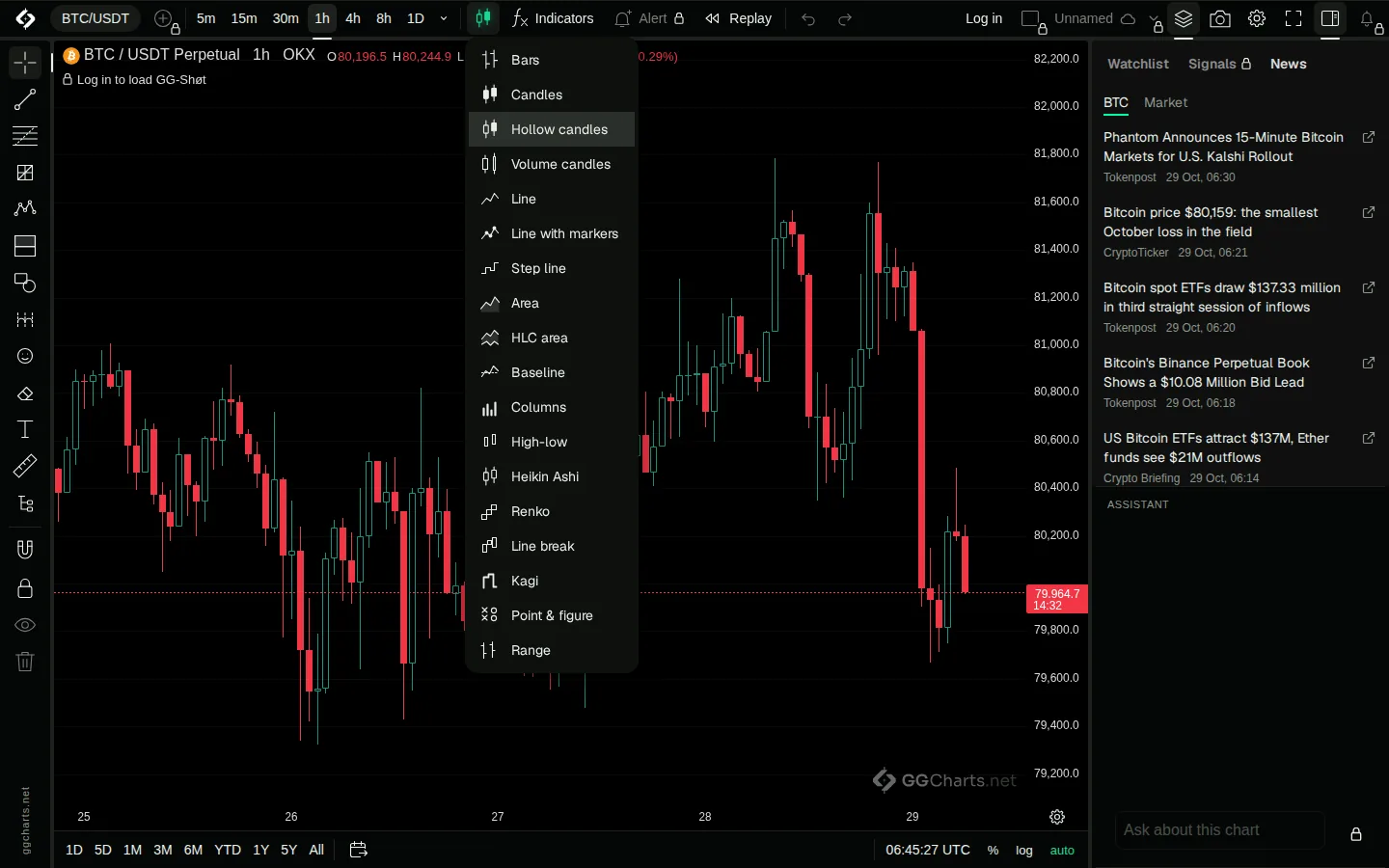
- Bars, candles, hollow and volume candles, line, line with markers, step line, area, HLC area, baseline, columns, high-low, Heikin Ashi, Renko, line break, Kagi, point and figure and range.
- Scales
- Auto, logarithmic, percent and indexed to 100.
- Date ranges
- 1D, 5D, 1M, 3M, 6M, YTD, 1Y, 5Y and All in one tap.
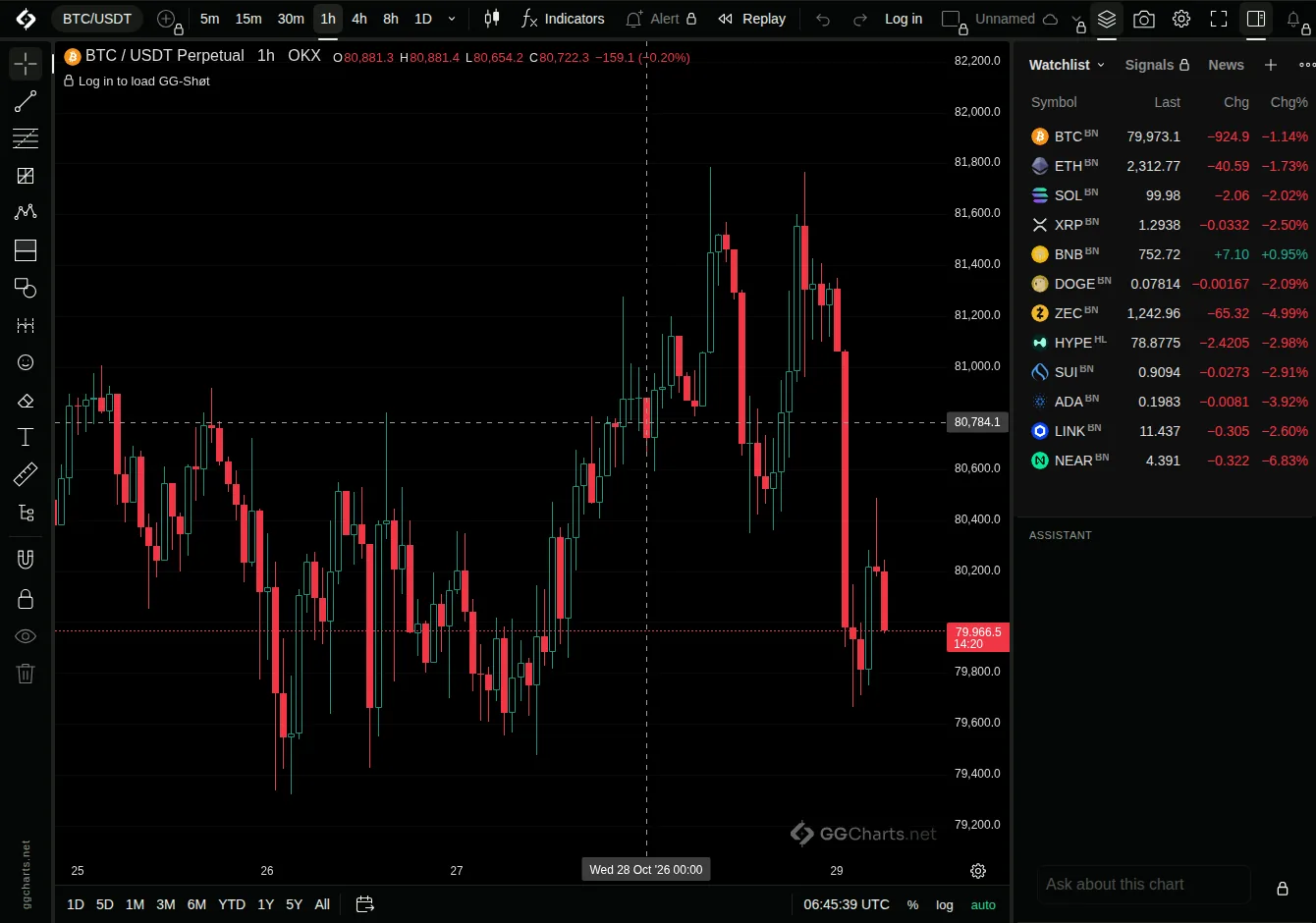
- Watchlist
- Symbols from any exchange in one list.
- Compare
- Put another symbol on the same chart, on a shared scale or in its own pane. It works in 11 of the 18 chart types: all except Heikin Ashi, volume candles, Renko, line break, Kagi, point and figure and range.
- News
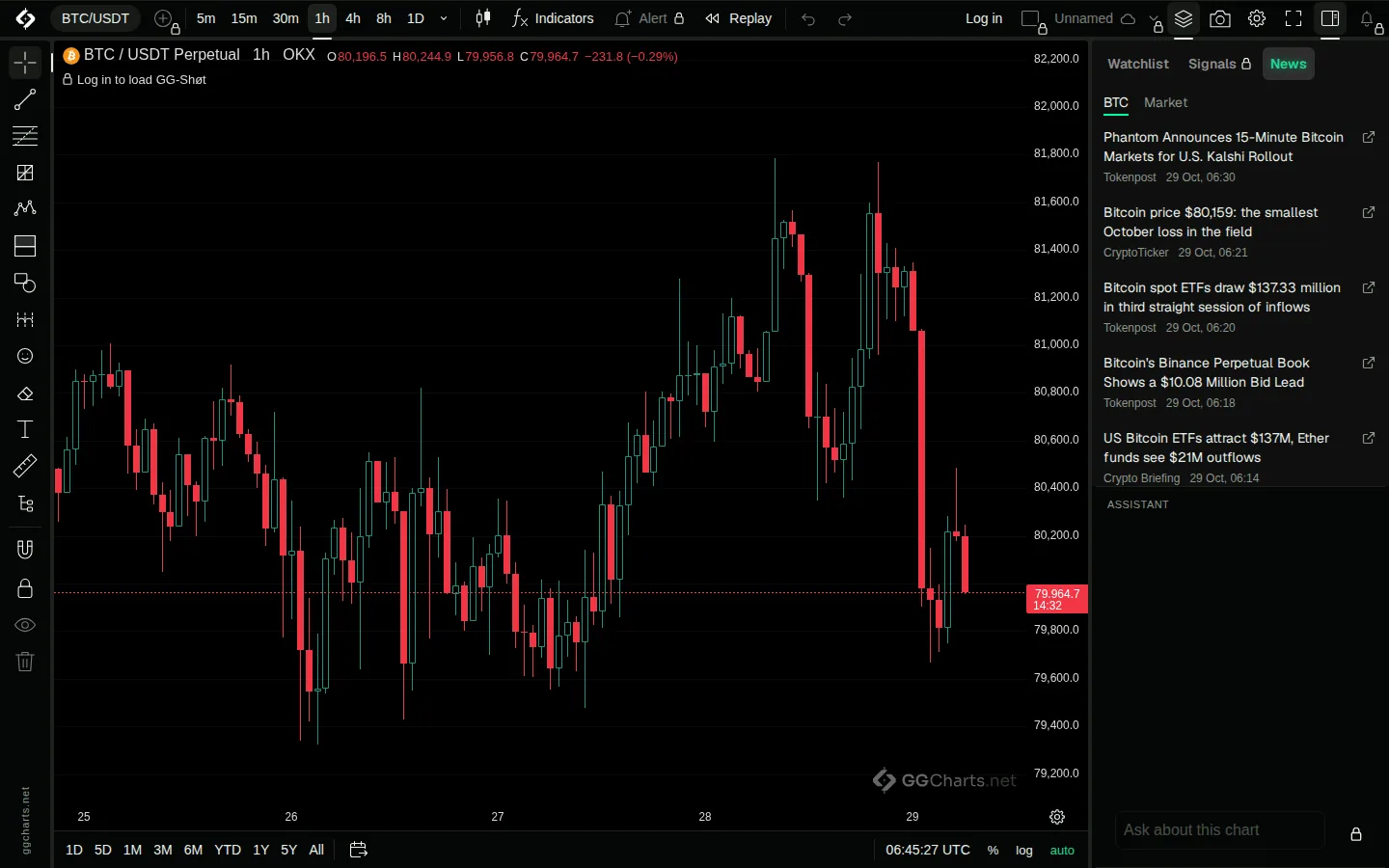
- A News panel next to the chart: stories for the chart's coin, and for the whole market.
- Macro events
- Fed decisions, CPI and jobs data on the time axis, with Remind me in Telegram.
- Appearance
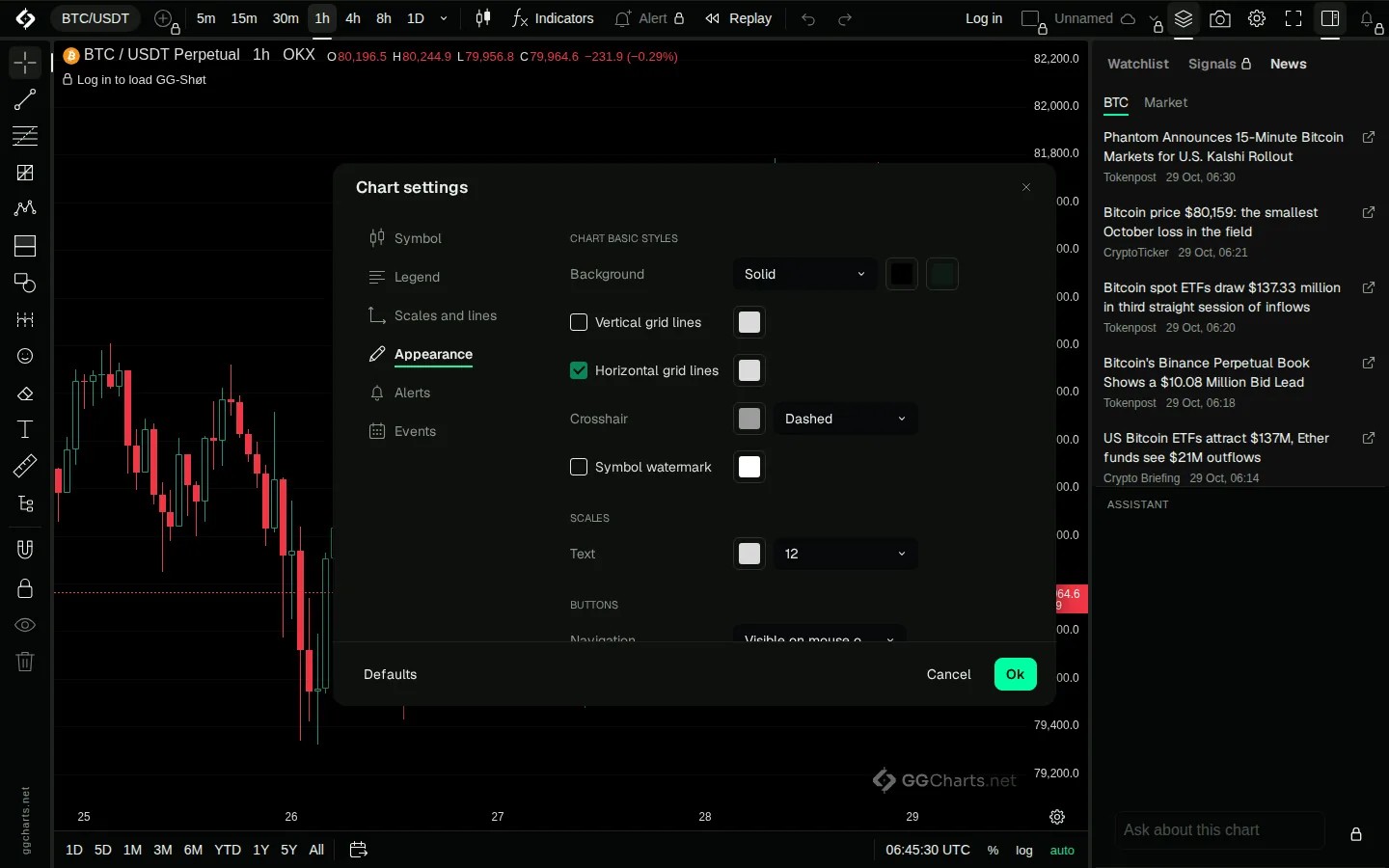
- Solid or gradient background, crosshair style, grid, legend and watermark.
- Languages
- Choose a language in the chart settings.
- Save image
- A picture of the chart in one click.
- Gestures
- Pan and zoom with the mouse, trackpad or fingers.
- Without a log in
- Any market, timeframe, drawing tool, the built-in indicators, Replay and the News panel. Alerts, layouts, compare, GG-Shøt, GG-Osc and the assistant need a Telegram log in.
18 chart types
Switch from the chart type button next to Indicators. Renko, line break, Kagi, point and figure and range build their bars from price, not from time.
News and events
Open News in the right panel. The symbol filter shows stories for the selected coin; Market shows general market news. Each story names its source and time and opens at the source. Macro events sit on the time axis: tap one for its time, forecast and previous value, then Remind me.
Make it yours
Chart settings has Symbol, Legend, Scales and lines, Appearance, Alerts and Events. Appearance sets a solid or gradient background, grid, crosshair style and scale text.
How far back
Available history depends on the market, timeframe and data source. Young markets have a short history, and some exchanges keep less of the smallest timeframes. All displays the history currently available to the chart.
Every bar in detail
The crosshair, the price on the scale and the time to the bar close.
Per plan
| Feature | Free | Plus | Premium |
|---|---|---|---|
| Supported markets and timeframes | Yes | Yes | Yes |
| Charts per screen | 2 | 4 | 8 |
| Indicators per chart | 5 | 15 | Unlimited |
| Cloud layouts | 1 | 10 | Unlimited |
| AI assistant on the chart | No | Yes | Yes |
| No watermark | No | No | Yes |